
Turf and astro arenas
Hourly bookings across one ground or several, day and night.
Give your arena its own booking page with live free hours. Customers hold an hour and send the deposit by mobile wallet or bank transfer, and your desk sees every booking on one calendar.
1 month free for every new arena. After that, your one peak hour is our whole month, with the price quoted in person.
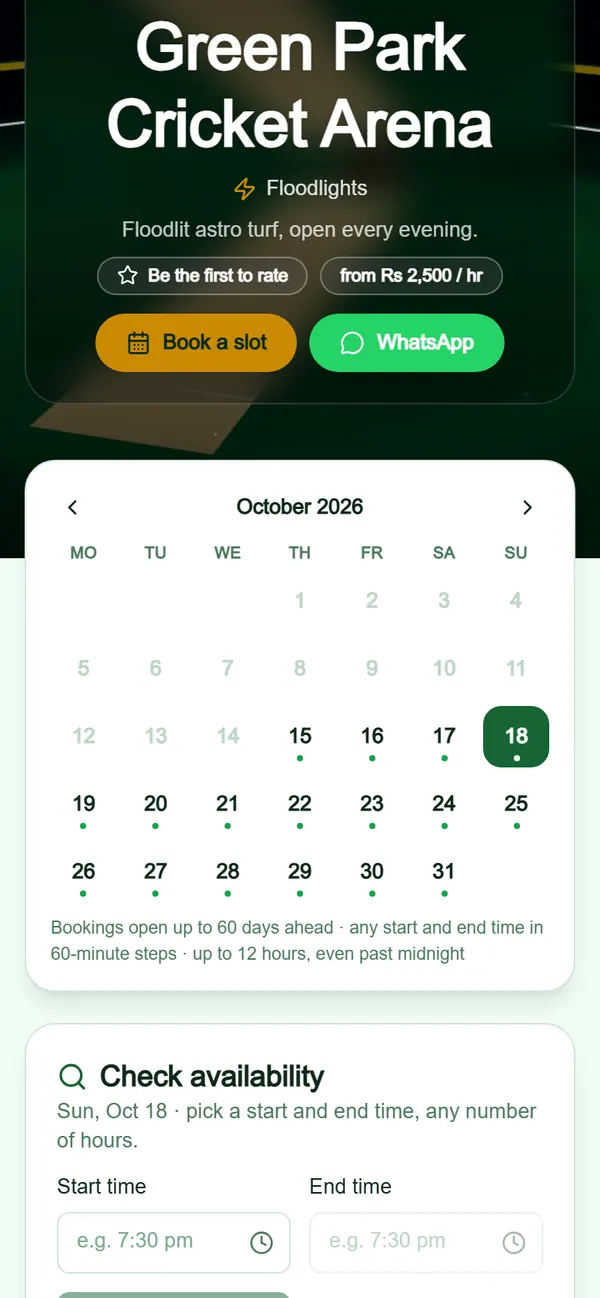
Each arena gets a page at managecricket.club/your-arena/booking with your photos, your grounds, day and night rates and the free hours for the weeks ahead. Customers pick a ground and a time and send a request with their name, number and email. Nobody needs an app.
Add your mobile wallet and bank accounts once and they appear on the booking page. The customer sends the deposit and the screenshot, and you mark it paid on the booking. Every booking shows what was paid and what is still due.
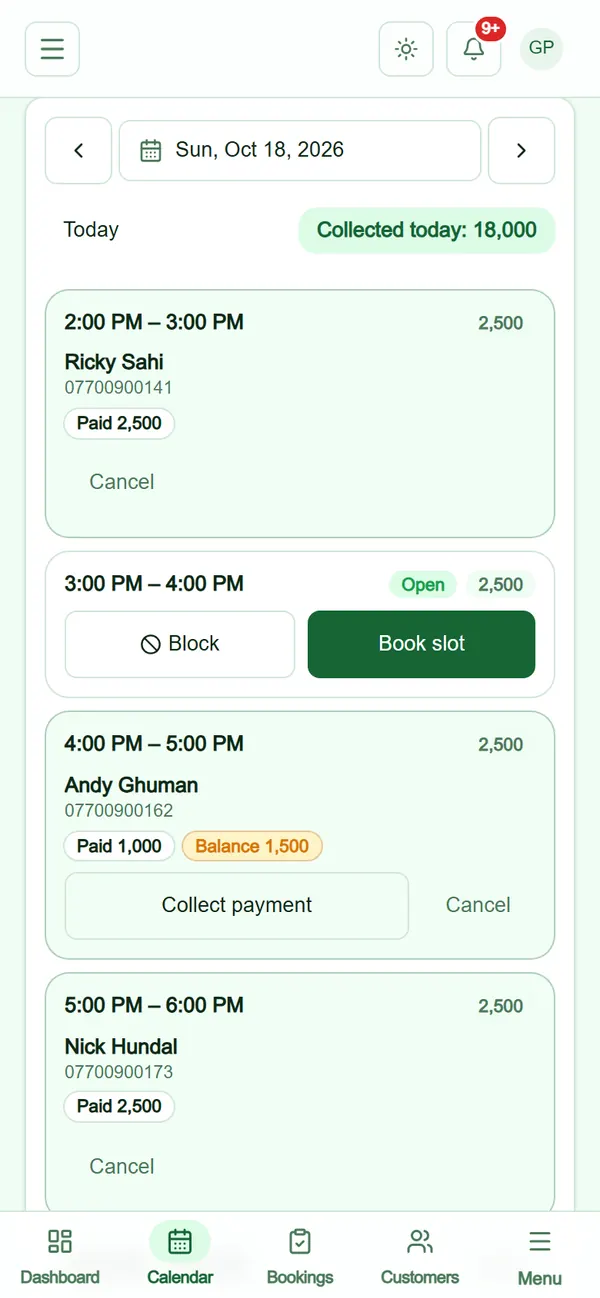
Every hour of the day on one screen: who booked it, what they paid and what is still due. Walk-ins and phone bookings go in at the desk in seconds, and a balance is collected or a booking cancelled from the same card. Desk staff work the calendar with their own login.
Confirmations, reminders and released-hour notices open in WhatsApp with the message already written, one tap to send. Regulars can ask for a membership card on your booking page: members earn points for every hour they play, with member prices and the free hours you set on each card.
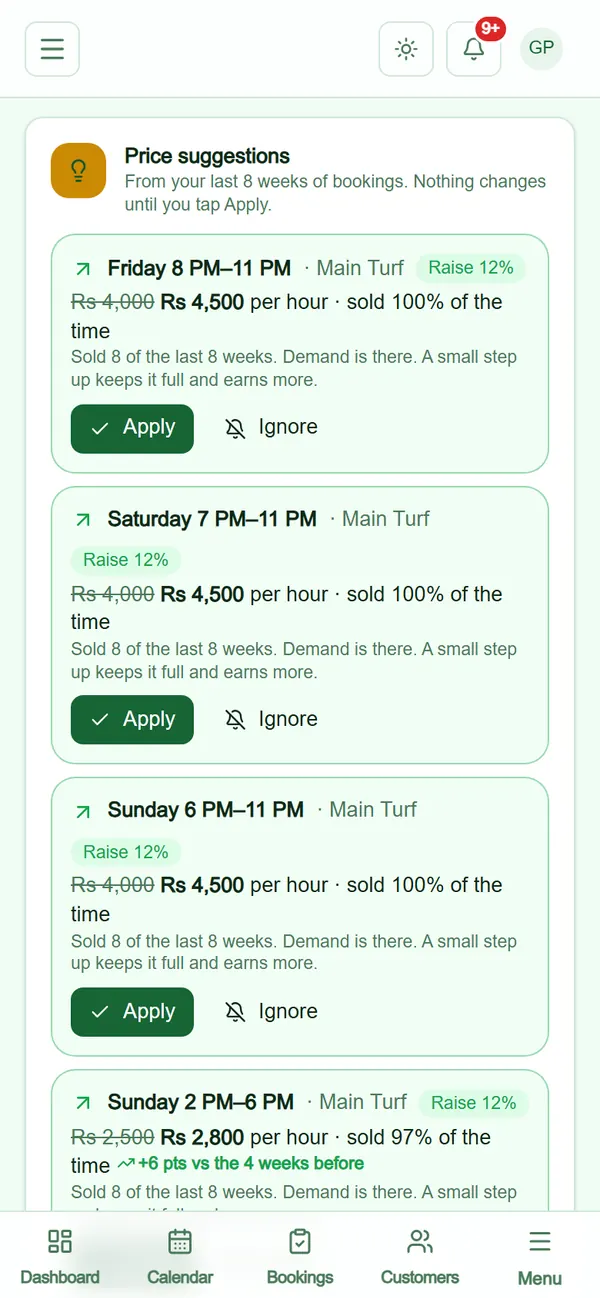
Smart price suggestions read your own last eight weeks of bookings: the hours that sell out (try a small rise) and the ones that sit empty (try less), each with the reason in plain words. Nothing changes until you tap Apply. Insights show revenue, occupancy, your busiest days and start times and your top customers for any date range.
Describe your arena: its name, town and address. Our team checks every new arena before it goes live.
Add each ground, your opening hours and the day and night rates.
Choose the deposit, how long a request is held and the cancellation cut-off, and add your payment accounts.
Put your booking link in your WhatsApp status and your social profiles, and take the next booking online.
Hourly bookings across one ground or several, day and night.
Short slots booked by the hour, with regulars on membership cards.
Night rates of their own, and the late hours that sell out shown in insights.
Every new arena gets its first month free, plus a free month when it brings another arena. After that, your one peak hour is our whole month: we agree the price with you in person, and paying yearly gives you 2 months free.
No. They open your booking page in any browser, pick a ground and a time and send the request with their name, number and email.
By mobile wallet or bank transfer to the accounts you show on your page. You mark the deposit paid on the booking, and an unconfirmed request releases its hours after the time you set.
Yes. Give each person their own login and choose which screens they see. They work the day calendar, add walk-ins and phone bookings, and collect balances.
It suggests prices from your own bookings, with the reason for each, and shows insights on revenue, occupancy and your busiest hours. It can also paint pictures for your posts when that is switched on for your arena.
Set up your arena tonight and share your booking page tomorrow. The first month is free.
Prefer to talk first? Book a demo